AI Rewording Tool: The Perfect Word Changer for Any Type of Text
Efficiently rewrite text in sentences, paragraphs and articles. Helping content creators achieve clarity and originality by providing them with a rewording tool that is both fast and accurate.
Confidently Reword Your Text While Keeping the Meaning Intact
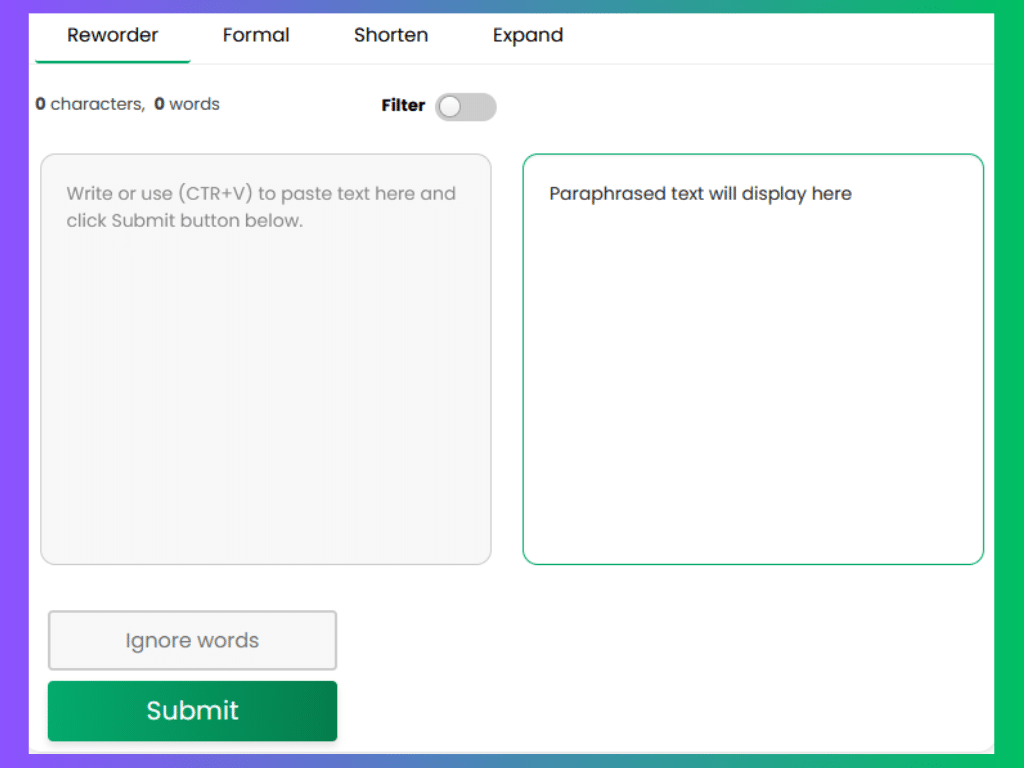
The best and most reliable online rewording tool—Carefully designed with students and professionals in mind. Equipped with advanced technology to perfectly rephrase essays, articles, paragraphs and sentences without affecting their meaning. Here’s how to use it: Choose any of the reworder’s mode, type or paste text into the input box, and click “Submit.”
How Our Tool Works?
Our intelligent Reworder tool uses an AI-based algorithm to read, analyze and process text and then rewords it 10 times faster than any other online paraphrasing tool. It does it by suggesting alternative words for the existing ones to improve their overall clarity and readability. You can trust the tool to process content in ads, tweets, and posts, to longer materials such as emails, blog posts, articles, and essays. Use it to simplify the writing and make it more creative and explicit, create quality copy, or to avoid plagiarism if you want to reuse the same information online.
Why Choose Us?
- Speed and Efficiency: Our tool rewords your content quickly, saving you valuable time.
- Smart Rewording: By making intelligent decisions on your behalf, our tool ensures that your rewritten document maintains its original meaning while enhancing clarity and readability.
- User-Friendly Interface: Simply copy your text, paste it into the input box, and click the ‘Submit’ button. It’s that easy!
Find Perfect Synonyms with AI Word Changer
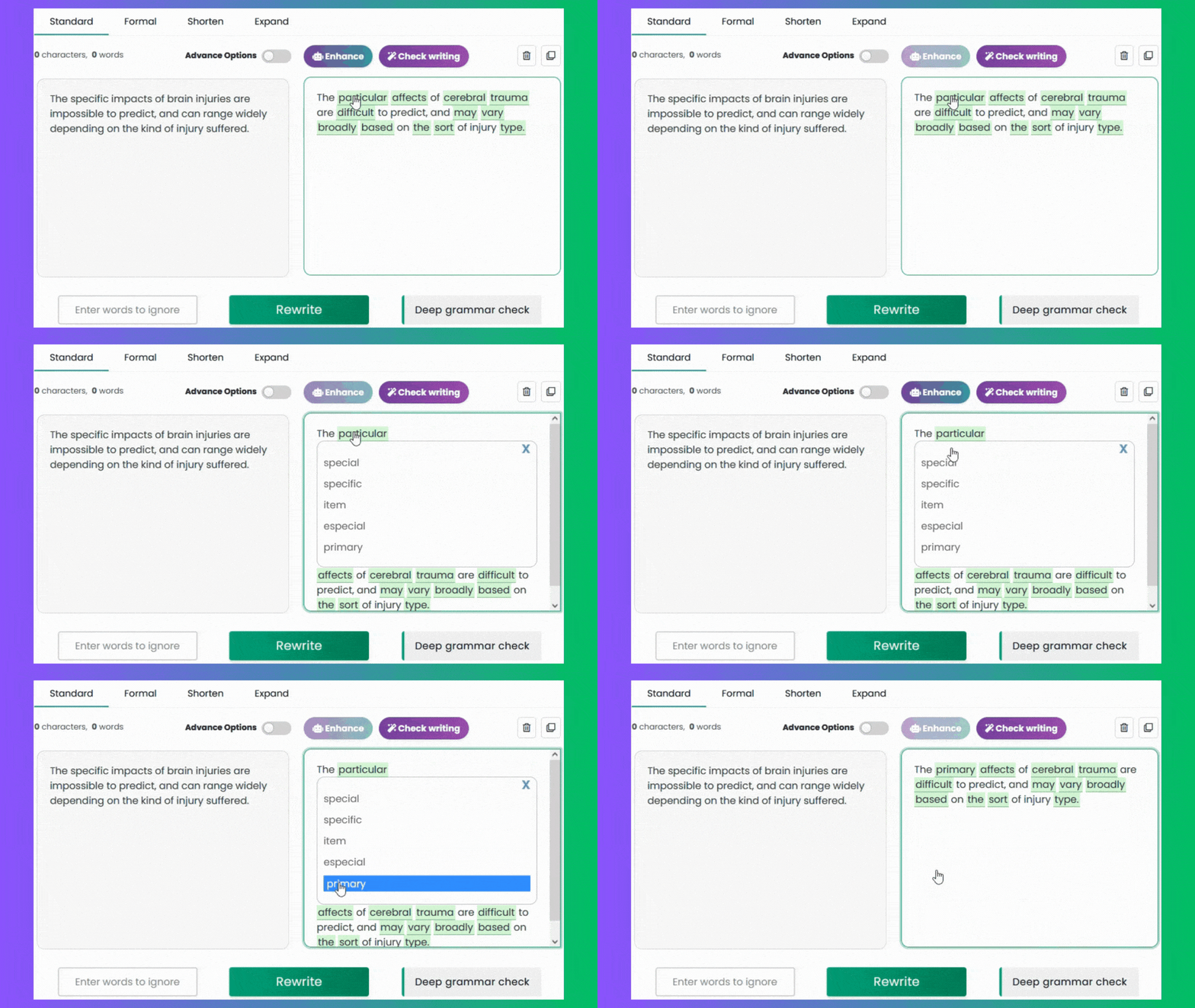
Word Explorer, also referred to as word changer, is a unique built-in option in our rewrite tool. It is designed to instantly change words and phrases with synonyms enabling you to easily and accurately customize, reword and edit the paraphrased text until you achieve the desired result.
How to Use It?
- Select Words: Hover over any term in the output section that you want to substitute.
- Choose Synonyms: Click on the word to see a list of similar alternatives.
- Replace Words: Easily swap out words to refine your text.
- Free and Fast: It’s simple, quick, and completely free to use!
Three Paraphrasing Modes and One Standard Reworder
Below is an overview of the different modes available in the product. Each mode was designed to meet your specific writing needs. Use the table below as a guide to choose the style that best fits the audience that you’re writing for.
| 🔄 Reworder | A paraphrase generator that rewords terms and expressions. |
| 🤖 Formal | Uses GPT3 to rewrite text to create a high-quality version. |
| 💡 Expander | Applies AI to expand your idea with more information and details. |
| ✍️ Shorten | Summarizes your long document into shorter one with AI. |
After exploring the various modes this rewording website offers, give it a try now! You’ll see it’s the only free online rewrite tool you can rely on.
Who Can Benefit from Our Website?
1. Marketers
The recommended approach to marketing someone’s business online is blogging.
Updating outdated content regularly is good for Search Engine Optimization (SEO) and can keep the website fresh and among the best on search engines. In this regard, our smart sentences rewriter generator proves to be incredibly valuable—By ensuring that your blogs remains updated and well written.

2. Writers and Students
Generate similar ideas in different words
Many students and writers struggle to express themselves differently and often find themselves repeating large portions of the original article, which can sometimes change the meaning. To overcome these challenges, it’s usually best to use a website that specializes in rewording.
Look no further—our AI reworder tool helps you generate plagiarism-free work and improve the overall tone, style and vocabulary of your writing. Most importantly, allows for expressing existing content in new terms.
Such tools are essential for creating unique content and ensuring communications remain clear and effective.

Before and After: See the Impact of Our Tool on Rewording Text
Find out how our reworder tool applies machine learning technology to effectively rephrase your sentence, paragraph, or assignment. Look at real examples of words before and after. You’ll be shocked that how Natural Language Processing (NLP) makes words clearer and easier to read.
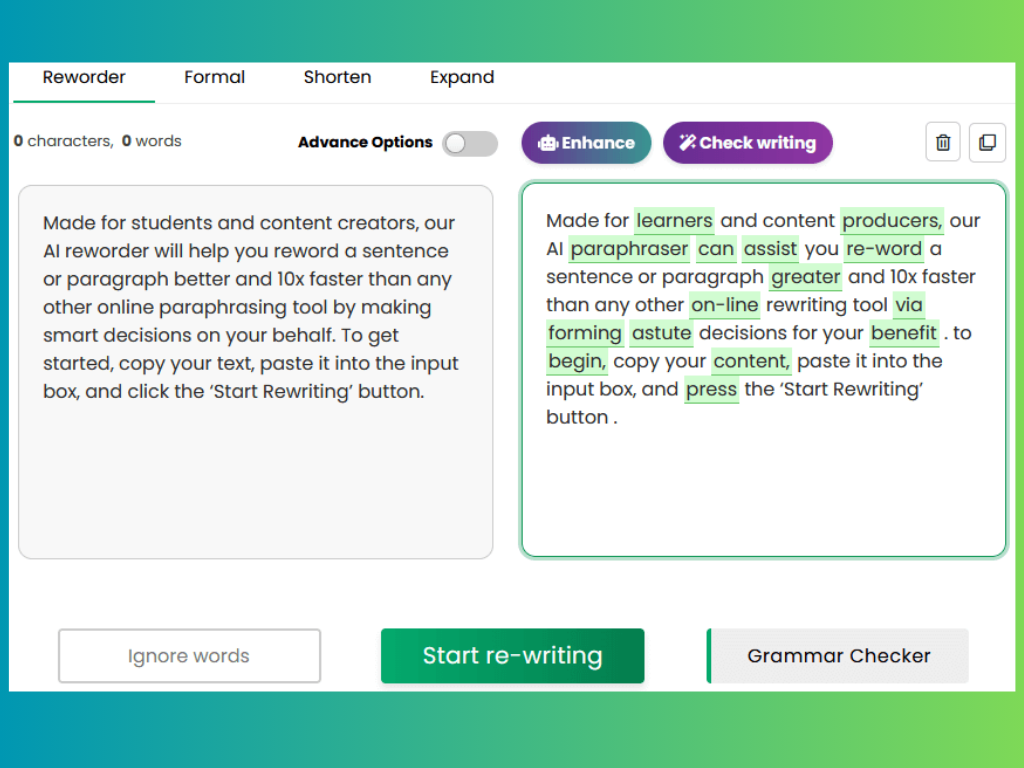
Bottom line: This is an accurate and free AI-powered rewording tool that copywriters and authors can trust completely for word replacement. With the help of rewritetool.net, you can make your writing unique in seconds. Whether you are a marketer, researcher, or journalist, our tool is essential for your work.
Why RewriteTool.net?
At Rewritetool.net, we believe in making writing effortless for everyone. That’s why we’ve developed a cutting-edge toolset of AI writing tools that combines the most advanced tools for text transformation. We work hard to improve the language model that backs up our paraphrasing tool. We strive to make the it produce original writing every time you use it. With Rewritetool.net, you can be assured that your work achieves its full potential.
Frequently Asked Questions
Why Should You Proofread Rewritten Content?
Proofreading rewritten content ensures clarity and accuracy. Rewriting tools might misinterpret context or use incorrect words. Checking your work helps maintain the original meaning, corrects grammatical errors, and improves readability.
How to reword text effectively?
Rewording text effectively involves more than just swapping words. Follow these steps for better results:
- Understand the Original Text: Read thoroughly to grasp the meaning.
- Identify Key Points: Highlight the main ideas.
- Use Simple Diction: Replace complex words with simpler ones.
- Change Sentence Structure: Rearrange sentences to avoid plagiarism.
- Avoid Jargon: Use clear and straightforward language.
- Proofread: Check for grammar, punctuation, and clarity.
What Is Not Allowed in Rewording?
When using a reworder generator, certain practices should be avoided to maintain accuracy and originality:
- Copying Verbatim: Do not copy text word-for-word without proper attribution.
- Changing Main Ideas: Preserve the original message and meaning.
- Using Complex Jargon: Avoid complicated or rare words that obscure clarity.
- Altering Key Points: Ensure all significant points are included.
- Introducing Errors: Avoid grammatical, spelling, and punctuation mistakes.
- Plagiarizing: Ensure the reworded content is unique and not a direct copy.
Rephrase, Paraphrase, and Reword: Are They the Same?
Rephrasing entails modifying the sentence structure, word choice, and order, all while maintaining the intended message. Each technique serves to refresh the text while ensuring the core ideas and intent remain intact.
Paraphrasing involves taking existing text and altering its wording and structure to enhance clarity.
Rewording focuses on changing specific words within sentences while preserving the original meaning.
Is It Cheating to Use Rewording Tools?
Using a rewording tools to express ideas in your own style isn't considered cheating.
Does Rewording Count as Plagiarism?
Rewording can count as plagiarism if you just change a few words but keep the same ideas as the original text. To avoid plagiarism, make sure you understand the original text and then write it in your own words. Also, using a plagiarism checker can help you ensure your work is original.